Create More From Every Space, Site, and Surface
Creation is not limited to designers: contractors, surveyors, builders, and field teams create from reality every day. FJD Trion Creative helps teams turn spaces, sites, and surfaces into plans, layouts, reports, visuals, and field-ready outputs.
Create More From Every Space, Site, and Surface
Creation is not limited to designers: contractors, surveyors, builders, and field teams create from reality every day. FJD Trion Essential helps teams turn spaces, sites, and surfaces into plans, layouts, reports, visuals, and field-ready outputs.
Made For Every Kind of Real-World Creator
One practical workflow for delivering results across many different types of projects.

Contractors
Turn experience-led estimates into data-backed proposals that look credible, spark trust, and drive decisions.

Designers
Automate base modeling, multiply concept directions, and give clients visuals before deep design time begins.

Real estate renovators
Create plans, visuals, and refresh proposals for apartments, kitchens, bathrooms, rentals, and storefronts.
Surveyors
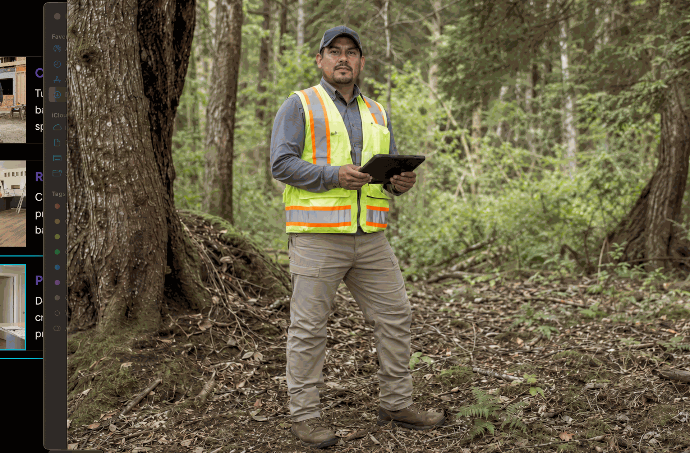
Capture site conditions faster and generate accurate measurements, layouts, and field-ready documentation.

Property managers
Document spaces, track changes, and create clear visual records for all your property maintenance and operations.

Small construction teams
Measure, position, and execute small projects with workflows built for fast-moving field teams.
Plan it. Create it. Deliver it.
A simple workflow for turning real spaces and sites into the plans, records, layouts, and finished results customers expect.
Step 1 : Capture
Turn sites into 3D
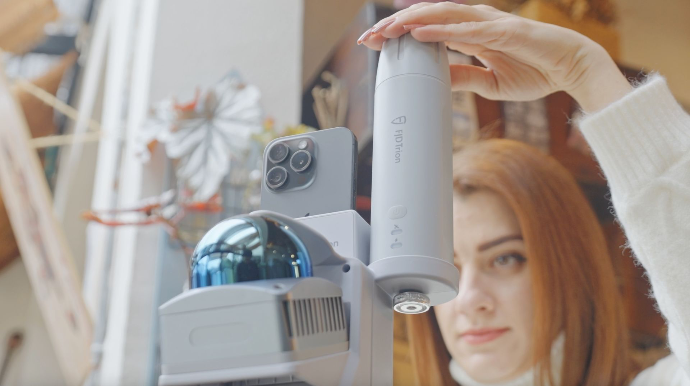
Capture rooms, sites, parking lots, yards, stockpiles, vegetation, walls, outdoor spaces, and incident scenes so you can document existing conditions and create usable digital records for planning, quoting, reporting, or verification.
Step 3: Create
Turn plans into action
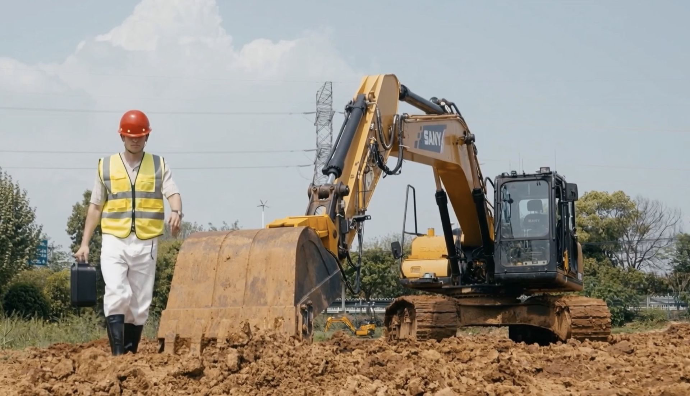
Guide trenching, grading, drainage, site preparation, wall printing, and layout execution with clearer targets, reduced rework, and more confidence in the field.
Step 4: Deliver
Turn work into proof
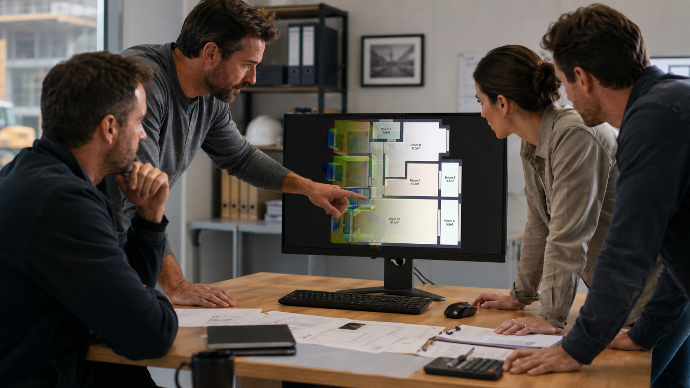
Generate floor plans, measurements, reports, before-and-after documentation, claim records, visual previews, inventory summaries, and client-ready outputs that help explain, verify, and present the work completed.
Choose your Essential workflow
Room & Interior Documentation
Scan rooms and interior spaces to create floor plans, measurements, renovation records, and client-ready documentation faster.
Outdoor & Site Documentation
Capture sites, yards, parking lots, stockpiles, and outdoor spaces in 3D for reporting, planning, verification, and progress tracking.
Stockpile & Material Tracking
Measure stockpiles, monitor material movement, and generate volume and inventory reports with clearer visual site records.
Parking & Hard Surface Assessment
Assess parking lots and paved surfaces to calculate area, estimate line quantities, define repair scopes, and create quote-ready reports.
Wall Printing & Artwork Placement
Turn blank walls into finished visual spaces through artwork placement, print preparation, guided wall printing, and final delivery workflows.
Claims & Incident Documentation
Record accident scenes, damage areas, and site conditions with visual documentation for reports, verification, and insurance claims.
Creativity at every step
Because the right tools make the work easier to start, simpler to execute, and faster to deliver.
The Eye: Capture Every Space
FJD Trion V4e LiDAR
Capture rooms, sites, stockpiles, parking lots, vegetation, and outdoor spaces in lightweight 3D workflows. Turn real-world conditions into visual records, measurements, and project-ready outputs.
The Eye: Capture Every Space
FJD Trion V4e LiDAR
Capture rooms, sites, stockpiles, parking lots, vegetation, and outdoor spaces in lightweight 3D workflows. Turn real-world conditions into visual records, measurements, and project-ready outputs.
The Navigator: Measure Key Points
FJD Trion V4e Pro
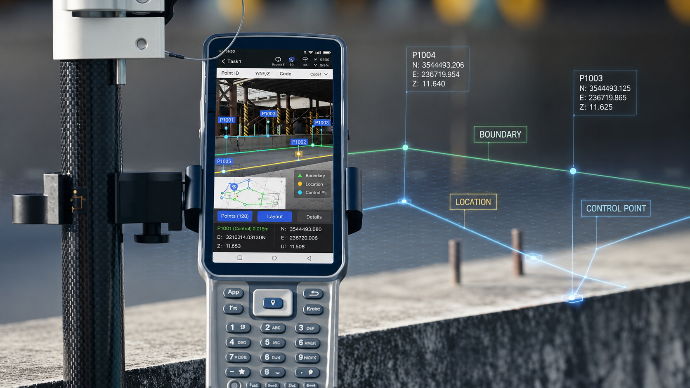
Collect points, mark layouts, document positions, and connect scans to real-world coordinates with compact GNSS positioning. Built for flexible field work across mapping, layout, and site documentation.
The Pilot: Deliver From the Cloud
FJD Trion Model Web
Process, manage, review, and share project outputs from one connected cloud platform. Turn field data into reports, measurements, visual records, floor plans, and customer-ready deliverables.
The Eye: Capture Every Space
FJD Trion V4e LiDAR
Capture rooms, sites, stockpiles, parking lots, vegetation, and outdoor spaces in lightweight 3D workflows. Turn real-world conditions into visual records, measurements, and project-ready outputs.
The Anchor: Position Every Point
FJD Trion V10 Series
Bring higher-precision positioning into larger layouts, machine-ready workflows, positioned scans, and connected field operations. Designed for reliable GNSS performance across demanding outdoor projects.
The Navigator: Measure Key Points
FJD Trion V4e Pro
Collect points, mark layouts, document positions, and connect scans to real-world coordinates with compact GNSS positioning. Built for flexible field work across mapping, layout, and site documentation.
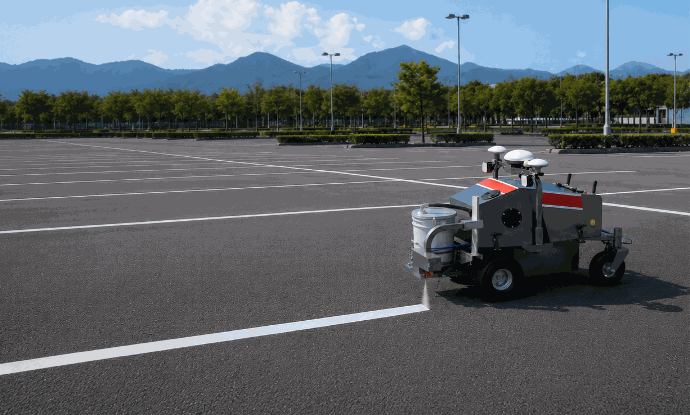
The Printer: Mark Every Surface
FJD PaintMaster
Turn layouts into clean, repeatable markings for new striping, repainting, and field-ready visual results for parking lots, sports fields, paved surfaces, and other marked spaces.
The Guide: Control Every Cut
FJD Trion EG10
Turn layout and positioning data into practical excavation workflows for trenching, grading, drainage, and site preparation. Reduce guesswork, improve consistency, and shape the ground with clearer targets.
The Pilot: Deliver From the Cloud
FJD Trion Model Web
Process, manage, review, and share project outputs from one connected cloud platform. Turn field data into reports, measurements, visual records, floor plans, and customer-ready deliverables.
The right fit for every project scale
Whether you need fast project outputs or full-scale field operations, FJD Trion gives you a way to move from real-world data to real results.